
Mainly the difference between older and newer Garmin models.

A track is a sequential collection of GPS points. These can be stored and then can be emailed or otherwise transferred to friends or colleagues. Once there, the recipient can load them into their own GPS and can use the GPS to guide them along the stored track.
In other words, a track is a way of passing information about a walk to someone else so that they can repeat it.
On Garmin GPS units there are currently two different ways in which the guidance is implemented.
After the track has been loaded into the GPS you first choose it then opt to follow it to the end or to the beginning. As you begin walking you see a compass-like screen with an arrow on it. If the arrow points ahead then you keep moving straight on. If the arrow points leftwards then you consider whether you should be moving more to your left.
Additionally, the GPS will flag upcoming turns by showing a bent arrow on the screen.

This method really became possible on units with high enough screen resolutions to draw a neat-looking track on the GPS screen.
You see your track on screen plus a triangle that indicates your position and heading. You may zoom in on the track: the triangle will keep in the centre of the screen as you do so. You can compare your posiition with the line of the stored track.
You can request to navigate the whole track, but the implementation is clumsy.
Given the awkwardness of Garmin's "trackback" routine, you best bet is to load the stored track and then zoom in on your position. As you walk you will see your own (fine) track superimposed on the (bolder) stored track. It is actually an excellent way to follow the track, except that any brief loss of the satellite signal causes the whole screen to collapse to the size of a matchhead and you have to zoom in again once the GPS rediscovers the satellites.
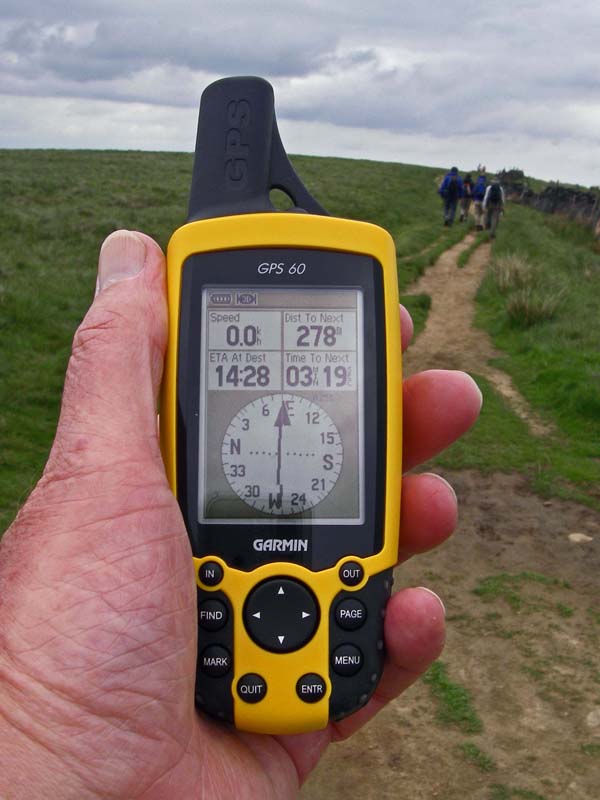 The GPS60 still does have an ability to show the older "follow the arrow routine". It is hidden away in the menu system and (I think) is only available after you launch their "trackback" routine.
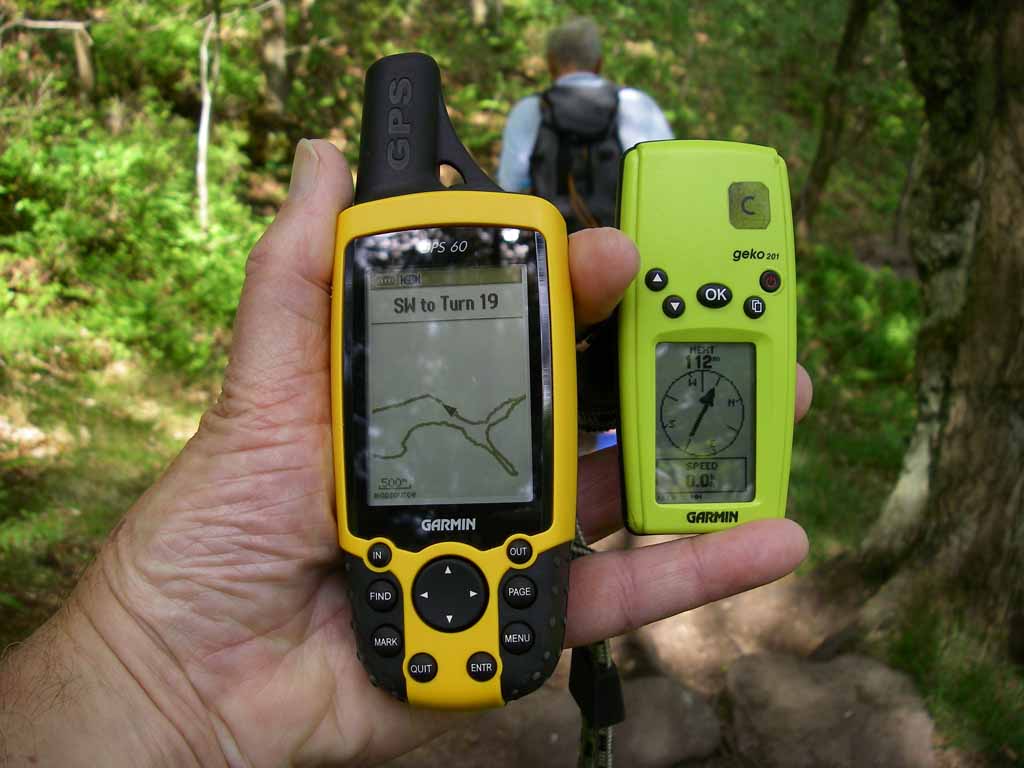
The photo show the two routines in simultaneous use.