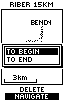
 Select "End" and confirm.
What follows assumes you have the pre-recorded track loaded in the GPS and you are ready to commence the walk.
You select navigate as your action and see below for the necessary actions
1) if you are using a Geko and
2) if you are using a GPS60.
Select "End" and confirm.
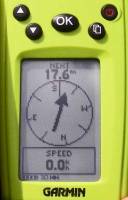 You are now ready to go.
(No screen-dump image
The Geko requires you to be there and to have started moving.
I was doing this at home.)
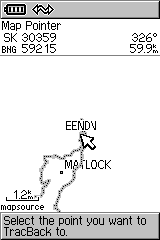 It says "Select the point you want to TracBack to", so you move the pointer closer to the End marker.
Then zoom in so you can see what you are doing.
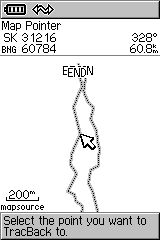 From the zoomed view you can now see the End marker properly.
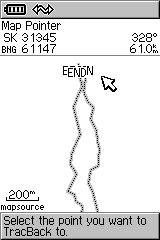 Steer the pointer closer to the End marker.
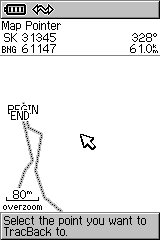 Zoom in again.
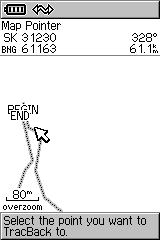 Move pointer as close as you can to the End marker.
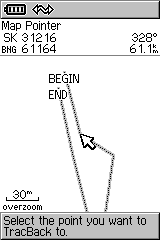 Zoom in again.
Whoops! Glad you didn't select it without repeating the zoom.
You would have been near the Begin marker and the GPS would have lead you about 100m.
Then it would have announced that you had arrived!
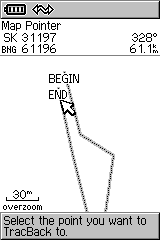 Move pointer as close as you can to the End marker.
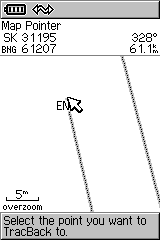 Zoom in and select the End marker.
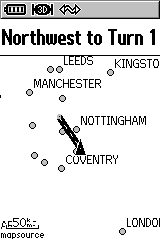 Now go Northwest to Turn 1.
(I was actually sitting at home - so some way from the Begin)
So - you can now see that the Geko required 2 control presses to get going.
In contrast the GPS60 needed roughly 50 control presses. (cursor + zoom + enter presses at each stage)
Come on Garmin - get your act together!